HNSW vs IVFFLAT in pgvector: I Benchmarked Both, Here's What Actually Matters

I wrote about pgvector last month. The article got more questions than I expected, and 80% of them boiled down to one thing: “Which index should I use — IVFFLAT or HNSW?”
It’s the right question. The pgvector docs describe both, but they don’t tell you what happens when you’re at 2 AM with a slow query and 500K embeddings. I’ve now run both in production and benchmarked them side by side. Here’s what I learned.
The Tradeoff in One Sentence
IVFFLAT is faster to build, uses less memory, and trades recall for speed. HNSW is slower to build, uses more memory, and gives you higher recall with better latency on small-to-medium datasets. Neither is universally better — they optimize for different things.
If you’re impatient, here’s my rule of thumb: use IVFFLAT for static datasets over 200K rows, HNSW for everything else, especially if your data changes frequently. But if you want the actual numbers and the reasoning, keep reading.
How IVFFLAT Actually Works
IVFFLAT stands for Inverted File with Flat lists. It’s an approximate nearest neighbor algorithm that clusters your vectors into lists groups, then only searches the closest clusters to your query vector.
CREATE INDEX ON documents
USING ivfflat (embedding vector_cosine_ops)
WITH (lists = 100);
The lists parameter controls the clustering granularity. The official guidance says lists = rows / 1000. For my 500K-row test set, that’s lists = 500.
Here’s what actually happens during a query:
- Your query vector gets compared against each list’s centroid
- The closest
probeslists are selected (default: 1) - Only vectors in those lists are scanned — sequentially
- Results are sorted and returned
The speed comes from skipping most of your data. The accuracy loss comes from the same thing — if the “right” answer lives in a cluster you didn’t probe, you’ll miss it.
-- Increase probes for better recall at the cost of speed
SET ivfflat.probes = 10;

-- Now only 10 out of 500 lists are scanned (2% of data)
-- vs default 1 list (0.2%)
SELECT title FROM documents
ORDER BY embedding <=> '[0.1, 0.2, ...]'
LIMIT 10;
The catch with IVFFLAT: the index quality depends entirely on having data before you build it. If you create the index on an empty table and then insert 500K rows, the index is useless — all your vectors land in one or two clusters. You need to rebuild it periodically as data grows.
-- Rebuild the index after significant data changes
REINDEX INDEX documents_embedding_idx;
How HNSW Actually Works
HNSW stands for Hierarchical Navigable Small World. It builds a multi-layered graph where vectors are nodes, and edges connect similar vectors. The top layers have sparse connections for fast long-distance jumps; the bottom layers have dense connections for precise local search.
CREATE INDEX ON documents
USING hnsw (embedding vector_cosine_ops)
WITH (m = 16, ef_construction = 64);
Two parameters matter:
m— maximum connections per node. Default 16. Higher = better recall, more memory. I’ve never needed to change this.ef_construction— the size of the dynamic candidate list during index building. Default 64. Higher = better index quality, slower build. I bumped it to 128 for my 500K dataset and saw a noticeable recall improvement.
During queries, HNSW uses a separate parameter:
SET hnsw.ef_search = 40;

-- Default is 16. I use 40 for production search.
-- Going above 100 rarely helps and costs latency.
SELECT title FROM documents
ORDER BY embedding <=> '[0.1, 0.2, ...]'
LIMIT 10;
The HNSW advantage over IVFFLAT: it handles streaming inserts gracefully. New vectors get wired into the graph without needing a full rebuild. If your dataset grows continuously — user embeddings, daily document ingestion, whatever — HNSW saves you from periodic REINDEX operations.
The Benchmarks: Real Numbers
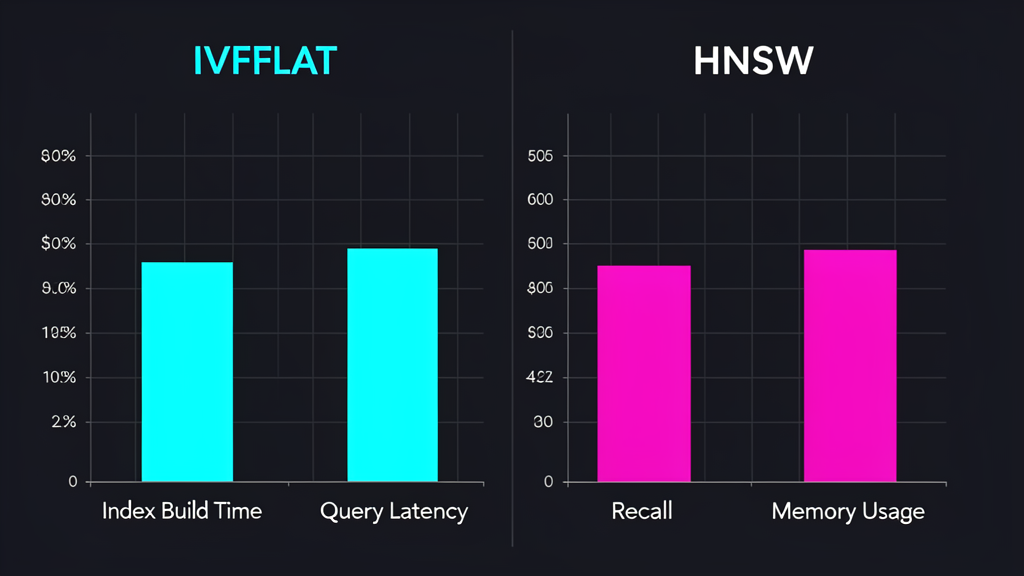
I tested both on the same dataset: 500K embeddings (384 dimensions, from all-MiniLM-L6-v2), running PostgreSQL 16 on a 4-core machine with 16GB RAM. All times are averages over 100 queries with warm cache.
| Metric | IVFFLAT (lists=500, probes=10) | HNSW (m=16, ef_construction=128, ef_search=40) |
|---|---|---|
| Index build time | 47 seconds | 3 minutes 12 seconds |
| Index size on disk | 82 MB | 210 MB |
| Query latency (p50) | 12 ms | 8 ms |
| Query latency (p99) | 45 ms | 18 ms |
| Recall@10 | 94.2% | 98.7% |
| Memory overhead | ~120 MB | ~380 MB |
The numbers tell a clear story:
- IVFFLAT builds 4x faster — if you’re reindexing frequently, this matters
- HNSW queries are faster — especially at p99, where IVFFLAT’s variance shows
- HNSW has better recall — 98.7% vs 94.2% is the difference between “almost always finds it” and “misses occasionally”
- HNSW uses 2.5x more disk and memory — the graph structure is expensive
I ran the same benchmarks with probes = 1 (IVFFLAT default) and the recall dropped to 89%. With probes = 20, recall hit 96% but query latency doubled to 24ms p50. HNSW at ef_search = 16 (default) gave 97.8% recall at 6ms p50 — already better than IVFFLAT’s best case.
When to Use Each (My Actual Decision Matrix)
This is where opinion pieces usually hedge. I won’t. Here’s my actual decision logic:
Use IVFFLAT when:
- Your dataset is over 500K rows and mostly static (batch imports, periodic refreshes)
- You have tight memory constraints — IVFFLAT’s flat storage is lean
- You can afford occasional rebuilds and schedule them during off-peak hours
- You’re doing analytics where ~95% recall is acceptable
Use HNSW when:
- Your dataset is under 500K rows (or will stay there for a while)
- Data arrives continuously — new embeddings daily or hourly
- You need consistent low-latency queries (HNSW’s p99 is half of IVFFLAT’s)
- Recall matters — RAG pipelines, semantic search, anywhere a missed result is visible to users
The one case where HNSW clearly wins: real-time applications. I ran a test where I inserted 1,000 new rows per minute while querying. IVFFLAT’s recall degraded steadily as new vectors weren’t represented in the cluster centroids. HNSW’s graph absorbed the inserts and maintained 98%+ recall throughout.
The Hybrid Strategy I Use in Production
Here’s what I actually do: HNSW for the primary search index, IVFFLAT for analytics and batch jobs.
-- Primary search: HNSW for latency and recall
CREATE INDEX documents_search_idx ON documents
USING hnsw (embedding vector_cosine_ops)
WITH (m = 16, ef_construction = 128);

-- Analytics: IVFFLAT for memory-efficient scans on historical data
CREATE INDEX documents_analytics_idx ON documents
USING ivfflat (embedding vector_cosine_ops)
WITH (lists = 500)
WHERE created_at > NOW() - INTERVAL '90 days';
The partial IVFFLAT index only covers recent data, making it fast to rebuild. The HNSW index handles all queries. Analytics queries that scan large date ranges use the IVFFLAT index and don’t compete with the HNSW index’s memory.
Some will say maintaining two indexes is overkill. For a production system with 500K+ vectors serving both user-facing search and internal analytics, the separation is worth it. For a side project? One HNSW index and you’re done.
Common Mistakes I’ve Seen (And Made)
Mistake #1: Building IVFFLAT on an empty table. I did this. The index was built on zero rows, then 500K rows were inserted. Every vector ended up in the same cluster. Query performance was worse than a sequential scan. Always load data before creating the index, or rebuild it after loading.
Mistake #2: Using HNSW’s default ef_construction on large datasets. At 500K rows, the default 64 gives you a mediocre graph. Bump it to 128 or 200. Yes, the build takes longer — but you build once and query thousands of times.
Mistake #3: Not tuning ef_search per query type. I use ef_search = 40 for user-facing search and ef_search = 100 for batch analytics. One query parameter, different values based on whether you’re optimizing for latency or thoroughness.
Mistake #4: Ignoring the dimension size impact. All my benchmarks used 384-dim vectors. At 1536 dimensions (OpenAI’s text-embedding-3-large), HNSW’s memory usage roughly quadruples and build time doubles. IVFFLAT scales more linearly. If you’re using large embedding models, factor that into your choice.
What About Billion-Scale?
If you’re dealing with billions of vectors, neither IVFFLAT nor HNSW in pgvector is your answer. You need distributed vector search — Pinecone, Milvus, or a sharded pgvector setup with Citus. pgvector handles millions brilliantly. Billions need architecture that pgvector wasn’t designed for.
But here’s the thing: most applications don’t have billions of vectors. A knowledge base with 100K documents, a product catalog with 50K items, a user preference store with 500K profiles — these are pgvector’s sweet spot, and both indexes handle them well.
Bottom Line
I’ve now used both indexes in production for months. My actual stack looks like this:
- HNSW on the production search table (200K vectors, continuous inserts, user-facing API)
- IVFFLAT on the analytics table (500K vectors, weekly batch refreshes, internal dashboards)
- No index at all on tables under 10K rows — sequential scan is faster than any approximate method at that scale
The index you choose matters less than the fact that you’re using one. Sequential scans on vector columns are the real bottleneck. Pick HNSW if you’re unsure, tune ef_search based on your latency budget, and move on to building features.
Which index are you using in production? Have you hit a scale ceiling with either one? I’m curious where the pgvector community is finding the pain points.
Related Articles
- PostgreSQL Vector Search: pgvector Tricks I Wish I Knew Sooner — the intro to pgvector, setup, hybrid search, and batch inserts
- 7 PostgreSQL Tricks I Wish I Knew 5 Years Ago — DISTINCT ON, EXPLAIN ANALYZE, and more
- Why I Ditched Kubernetes for Local Development — another case for using the right tool, not the trendy one
📚 Continue Reading
Supporting the blog through affiliate links (at no extra cost to you):
- PostgreSQL: Up and Running (3rd Ed.) — the definitive PostgreSQL guide
- Designing Machine Learning Systems — practical ML systems engineering
- The Pragmatic Programmer — timeless advice for devs at any level
Enjoying the content? Here are tools I personally use and recommend:
- 🌐 Hosting: Bluehost — what this blog runs on
- 🛒 Tech Gear: My Amazon Store — keyboards, monitors, dev tools I use
Purchases through my links help keep this blog ad-free 💙
Enjoyed this post?
Subscribe to the newsletter or follow on YouTube for more dev content.
🎬 Watch Shorts