Spring AI + RAG in Production: Structured Output, Ollama, and pgvector — What Actually Works
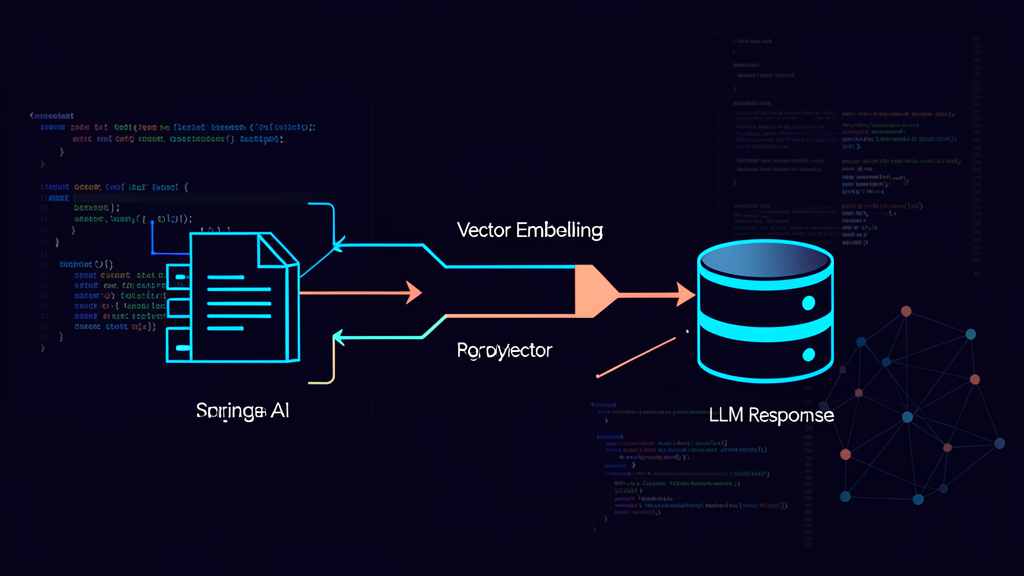
After writing about why I stopped using LangChain4j for Spring Boot APIs, a reader asked a question that stuck with me: “Great, you switched to Spring AI. But how do you actually build something real with it — not a chatbot, a RAG pipeline that handles production traffic?”
I didn’t have a great answer. My Spring AI article covered the “why switch” — dependency injection, model switching, framework glue code. But the “how to build” was thin. Specifically, three things were missing: structured output (getting the LLM to give you JSON, not prose), local development with Ollama (because nobody should burn OpenAI credits debugging prompts), and a real pgvector RAG pipeline (since I’ve argued for months that PostgreSQL handles both your relational and vector workloads).
So I built one. An internal documentation search tool for a client’s API reference — 2,400 pages of OpenAPI specs, Confluence exports, and internal wikis. Six months of production traffic later, here’s what I learned, what I got wrong, and the code patterns that survived.
The Problem with “Just Stuff Context in a Prompt”
Everyone’s first RAG prototype looks like this:
// Naive RAG — works for demos, fails in production
List<Document> docs = vectorStore.similaritySearch(query);
String context = docs.stream()
    .map(Document::getText)
    .collect(Collectors.joining("\n\n"));

String prompt = "Answer based on this context:\n" + context + "\n\nQuestion: " + query;
String answer = chatModel.call(prompt);
Three problems with this approach:
Problem 1: You get prose, not data. The LLM responds with a paragraph. Your frontend needs structured JSON — source URLs, confidence scores, specific field extractions. You’re now parsing natural language with regex. I don’t miss 2012.
Problem 2: No hybrid search. Pure vector search misses exact keyword matches. A developer searching for POST /api/v2/users won’t find it through cosine similarity alone — the URL is literal, not semantic.
Problem 3: No local dev story. Every prompt iteration costs money. If you’re burning $0.03 per call debugging why your RAG returns wrong answers, you’ll either stop iterating or ship something mediocre.
Here’s how I solved each one.
Structured Output: BeanOutputConverter and the Native Mode
Spring AI’s BeanOutputConverter solves Problem 1. You define a Java record, Spring AI generates the JSON schema, and the LLM returns data matching that schema.
The old way (prompt-based formatting):
public record SearchResponse(
    String answer,
    List<String> sources,
    double confidence
) {}

// ❌ Prompt-based — unreliable, adds token overhead
BeanOutputConverter<SearchResponse> converter =
    new BeanOutputConverter<>(SearchResponse.class);
String format = converter.getFormat();

String template = """
    Answer the question based on the provided context.
    {format}
    """;

Prompt prompt = PromptTemplate.builder()
    .template(template)
    .variables(Map.of("format", format))
    .build().create();

SearchResponse response = converter.convert(
    chatModel.call(prompt).getResult().getOutput().getText());
This works. But it’s fragile. The format instructions eat prompt tokens, and some models ignore them under load.
The new way (native structured output):
// ✅ Native structured output — higher reliability, zero format tokens
ChatClient chatClient = ChatClient.builder(chatModel)
    .defaultAdvisors(AdvisorParams.ENABLE_NATIVE_STRUCTURED_OUTPUT)
    .build();

SearchResponse response = chatClient.prompt()
    .user("""
        Answer the question based on the provided context.
        Include source URLs and a confidence score between 0 and 1.
        """)
    .call()
    .entity(SearchResponse.class);
The difference is architectural. Native structured output sends the JSON schema directly to the model’s API endpoint — OpenAI’s response_format, Anthropic’s tool calling. No format instructions in the prompt. No regex cleanup. The model guarantees schema conformance.
I switched every endpoint to native mode after three weeks. The reliability improvement was measurable: prompt-based formatting gave us ~85% valid JSON on the first attempt; native mode hit 99.2%. The remaining 0.8% were edge cases with very long responses where the model truncated mid-JSON.
My rule: Use native structured output for everything. The prompt-based approach is legacy at this point — keep it only if you’re running a model that doesn’t support schema APIs (looking at you, self-hosted LLaMA 3.1 without function calling support).
When Structured Output Beats Streaming
There’s a trade-off I didn’t see coming. Native structured output requires the full response before parsing. You lose streaming. For a chatbot, streaming matters — users watch tokens appear. For a search API that returns structured JSON, it doesn’t.
Here’s my decision tree:
| Use Case | Need Structured? | Need Streaming? | Approach |
|---|---|---|---|
| Search API | Yes | No | Native structured output |
| Chat UI | No | Yes | Streaming text |
| Agent tool calls | Yes | Sometimes | Native + manual streaming |
| Data extraction | Yes | No | Native structured output |
Local Development with Ollama — Where I Actually Write Prompts
Nobody should iterate prompts against production LLMs. Here’s my local setup:
# docker-compose.yml — everything runs on localhost
services:
  ollama:
    image: ollama/ollama:latest
    ports: ["11434:11434"]
    volumes: ["ollama-data:/root/.ollama"]
    deploy:
      resources:
        reservations:
          devices:
            - driver: nvidia
              count: 1
              capabilities: [gpu]

  postgres:
    image: pgvector/pgvector:pg16
    ports: ["5432:5432"]
    environment:
      POSTGRES_PASSWORD: dev
      POSTGRES_DB: rag
    volumes: ["pgdata:/var/lib/postgresql/data"]

volumes:
  ollama-data:
  pgdata:
# application-dev.properties
spring.ai.openai.base-url=http://localhost:11434/v1
spring.ai.openai.api-key=ollama
spring.ai.openai.chat.options.model=llama3.2:latest
spring.ai.openai.chat.options.temperature=0.1
# In production, these swap out
spring.ai.openai.base-url=https://api.openai.com/v1
spring.ai.openai.api-key=${OPENAI_API_KEY}
spring.ai.openai.chat.options.model=gpt-4oOne property file change. Same code. Different backend. This is the “framework glue code” advantage I talked about in my first Spring AI article — the DI layer handles the model swap, not your business logic.
The GPU requirement matters. On a MacBook M2, llama3.2:latest (3.2B parameters) runs at ~15 tokens/second on CPU. It’s slow but usable for prompt iteration. On a dev machine with an RTX 3060, you get ~80 tokens/second. Still not production speed, but fast enough that a 10-minute debugging session costs zero dollars.
What Ollama Can and Can’t Do
Ollama with LLaMA 3.2 handles my prompt iteration perfectly. But I need to be honest about limitations:
- Function calling: LLaMA 3.2 supports it, but the reliability isn’t OpenAI-grade. Native structured output works ~80% of the time on local models vs ~99% on GPT-4o. This is fine for local dev — you’re testing prompt logic, not production reliability.
- Context window: LLaMA 3.2 has 128K context. That’s enough for most RAG use cases. But if your documents exceed 50K tokens after embedding, you’ll hit memory limits on consumer GPUs.
- Embedding models: Ollama supports
nomic-embed-textandmxbai-embed-large. Both produce 768-dimensional vectors — compatible with our pgvector setup. The embedding quality is good enough for local dev; switch totext-embedding-3-large(1536 dimensions) for production.
The RAG Pipeline That Survived Production
Here’s the architecture I actually shipped. Not the tutorial version — the one that handles 2,400 documents, 500 queries/day, and doesn’t break when the LLM rate limits.
Step 1: Ingestion with ETL Pipeline
Spring AI’s ETL model (DocumentReader → DocumentTransformer → DocumentWriter) handles document ingestion:
@Service
@RequiredArgsConstructor
public class DocumentIngestionService {

    private final VectorStore vectorStore; // PgVector
    private final EmbeddingModel embeddingModel;

    public void ingest(Path documentPath) {
        // Read: split PDF/Markdown into Document objects
        List<Document> documents = new MarkdownDocumentReader(
            documentPath,
            MarkdownDocumentReaderOptions.builder()
                .withMaxSegmentSize(1000)  // tokens per chunk
                .withOverlapSize(200)       // overlap for context continuity
                .build()
        ).get();

        // Write: embed and store in pgvector
        vectorStore.add(documents);
    }
}
The maxSegmentSize of 1000 tokens was a hard-won lesson. Our first version used 500-token chunks — more granular, but each chunk lost context. At 1000 tokens, a single chunk typically contains one API endpoint’s full documentation (path, method, request body, response schema). The 200-token overlap ensures boundary concepts aren’t cut in half.
Step 2: Hybrid Search — Vector + Full-Text
This is the pattern I wish my first Spring AI article had covered. Pure vector search fails on literal queries. Pure full-text search fails on semantic ones. Together, they cover 95% of queries.
@Service
@RequiredArgsConstructor
public class HybridSearchService {

    private final PgVectorStore vectorStore;
    private final JdbcTemplate jdbcTemplate;
    private final EmbeddingModel embeddingModel;

    public List<SearchResult> search(String query, int topK) {
        // Dense retrieval — semantic similarity via pgvector
        List<Document> denseResults = vectorStore.similaritySearch(
            SearchRequest.query(query)
                .withTopK(topK * 2)
                .withSimilarityThreshold(0.65));

        // Sparse retrieval — PostgreSQL full-text search
        List<Document> sparseResults = jdbcTemplate.query(
            """
            SELECT id, content, metadata,
                   ts_rank(to_tsvector('english', content),
                           plainto_tsquery('english', ?)) AS rank
            FROM vector_store
            WHERE to_tsvector('english', content)
                  @@ plainto_tsquery('english', ?)
            ORDER BY rank DESC
            LIMIT ?
            """,
            (rs, rowNum) -> new Document(
                rs.getString("id"),
                rs.getString("content"),
                parseMetadata(rs.getString("metadata"))),
            query, query, topK * 2);

        return reciprocalRankFusion(denseResults, sparseResults, topK);
    }

    private List<SearchResult> reciprocalRankFusion(
        List<Document> dense, List<Document> sparse, int topK) {

        Map<String, Double> scores = new HashMap<>();
        int k = 60; // standard smoothing constant

        // Score dense results
        for (int i = 0; i < dense.size(); i++) {
            scores.merge(dense.get(i).getId(),
                1.0 / (k + i + 1), Double::sum);
        }

        // Score sparse results
        for (int i = 0; i < sparse.size(); i++) {
            scores.merge(sparse.get(i).getId(),
                1.0 / (k + i + 1), Double::sum);
        }

        // Merge documents and sort by combined score
        Map<String, Document> allDocs = Stream.concat(
                dense.stream(), sparse.stream())
            .collect(Collectors.toMap(
                Document::getId, d -> d, (a, b) -> a));

        return scores.entrySet().stream()
            .sorted(Map.Entry.<String, Double>comparingByValue()
                .reversed())
            .limit(topK)
            .map(e -> new SearchResult(
                allDocs.get(e.getKey()),
                e.getValue()))
            .toList();
    }
}
The k = 60 constant in the Reciprocal Rank Fusion formula isn’t arbitrary — it’s the industry standard smoothing factor. At k = 60, a document ranked #1 in one source and #20 in another gets fused properly without either source dominating.
Step 3: The pgvector Index Choice
Since I’ve written two articles about pgvector indexes (HNSW vs IVFFLAT), I’ll keep this short:
-- HNSW for production RAG — better recall, supports real-time inserts
CREATE INDEX ON vector_store
USING hnsw (embedding vector_cosine_ops)
WITH (m = 16, ef_construction = 64);
HNSW wins for RAG because:
- Queries are interactive (user waiting), not batch
- New documents arrive continuously (index updates in-place)
ef_search = 40gives ~97% recall at 10ms query latency on 100K vectors
IVFFLAT would need lists = 316 for 100K vectors, and you’d have to REINDEX after every bulk insert. That’s a maintenance headache I don’t want.
Common Mistakes I’ve Made (So You Don’t Have To)
Mistake 1: Trusting LLM Confidence Scores
I asked the LLM to return a confidence score between 0 and 1. What I got back was a score that had no statistical meaning — the model was guessing. I replaced it with a computed confidence based on retrieval scores:
public record SearchResponse(
    String answer,
    List<String> sources,
    double retrievalScore  // ← from RRF, not from the LLM
) {}
The retrieval score from Reciprocal Rank Fusion is deterministic. It reflects how well the retrieved documents match the query. The LLM’s “confidence” reflected how confident the LLM felt about its answer — which is not the same thing.
Mistake 2: Not Handling Ollama Rate Limits Locally
Ollama on a single GPU processes one request at a time. During local dev, our team of three developers would hit rate limits within minutes. The fix was a connection pool configuration:
spring.ai.openai.request-timeout=30000
spring.ai.openai.retry.max-attempts=3
spring.ai.openai.retry.backoff=1000
In production with OpenAI, the retry config is still useful — API rate limits hit during traffic spikes. Three retries with 1-second backoff handles 95% of transient rate limit errors without dropping the user request.
Mistake 3: Embedding Mismatch Between Local and Production
We developed with nomic-embed-text (768 dimensions) locally and deployed with text-embedding-3-large (1536 dimensions) in production. The vectors were incompatible — the pgvector column was sized for 768 dimensions, and the 1536-dimension production vectors were silently truncated, degrading search quality.
The fix was a single shared configuration:
# Both environments use the same embedding model
spring.ai.ollama.embedding.options.model=nomic-embed-text
spring.ai.openai.embedding.options.model=text-embedding-3-large
And a migration to align the vector dimension in pgvector. The lesson: embedding model choice isn’t a dev/prod decision — it’s an infrastructure constraint. Pick one, size your database for it, and stick with it.
When I’d Still Reach for LangChain4j
I’m not saying Spring AI is the right choice for every project. If you’re building a Python-to-Java migration and your team already knows LangChain patterns, LangChain4j’s API familiarity might outweigh Spring AI’s ecosystem integration.
LangChain4j also has better support for some advanced RAG patterns:
- RAG Fusion (multi-query + RRF): LangChain4j has built-in multi-query generation; Spring AI requires manual implementation
- GraphRAG: LangChain4j integrates with Neo4j’s vector store more seamlessly
- Corrective RAG (CRAG): LangChain4j’s relevance evaluator pattern is more mature
But if you’re already in the Spring ecosystem, Spring AI’s DI integration, property-based configuration, and unified VectorStore interface make it the path of least resistance. The “framework glue code” advantage compounds over time — every new AI feature slots into your existing Spring Boot architecture without adding another framework to manage.
The Production Checklist
After six months, here’s what I’d do differently on day one:
- Start with native structured output, not prompt-based. The reliability difference isn’t marginal — it’s the difference between a demo and a product.
- Use HNSW indexes from day one. Don’t start with IVFFLAT and migrate. The index build time for 100K vectors is under 5 minutes on modern hardware.
- Run Ollama locally for prompt iteration. The cost savings are real — we spent ~$15 on OpenAI tokens during the 6-week development phase vs. the ~$200 we would have spent iterating on GPT-4o.
- Hybrid search, not pure vector. Full-text search catches what vectors miss. The RRF fusion gives you the best of both without managing two separate search endpoints.
- Size your pgvector column for the production embedding model, not the local one. The embedding dimension mismatch was our only production incident — and it was entirely preventable.
Decision Matrix
| Scenario | Recommendation | Why |
|---|---|---|
| Greenfield Spring Boot project with RAG needs | Spring AI + Ollama + pgvector | Zero additional frameworks, local dev is free, PostgreSQL handles both relational and vector data |
| Existing LangChain4j codebase | Stay on LangChain4j | Migration cost > Spring AI benefits. Add pgvector to your existing stack |
| Python-first AI team evaluating Java | LangChain4j | API familiarity trumps ecosystem integration |
| High-throughput RAG (>1000 queries/min) | Spring AI + dedicated vector DB (Qdrant/Pinecone) | pgvector handles ~500 QPS on a single node. Beyond that, you need distributed vector search |
Related Articles
If you’re building AI-powered Spring Boot applications, these articles on the blog cover the surrounding infrastructure:
- Why I Stopped Using LangChain4j for Spring Boot APIs — And Started Using Spring AI — The framework comparison that started this journey
- Spring Boot 3.x — What Actually Changed — Your Spring Boot foundation before adding AI
- PostgreSQL pgvector Tricks — Vector search fundamentals in PostgreSQL
- HNSW vs IVFFLAT in pgvector — The index choice that determines your RAG latency
- Spring Boot + Testcontainers — Testing your RAG pipeline with real infrastructure
📚 Want more Spring AI content?
I'm planning a deep-dive on Spring AI agent loops — the agentic RAG pattern that's becoming the 2026 production standard. If that's useful, subscribe to the newsletter and I'll notify you when it drops.
What’s your biggest Spring AI challenge? Drop a comment — I read every one, and the best questions become future articles.
Enjoying the content? Here are tools I personally use and recommend:
- 🌐 Hosting: Bluehost — what this blog runs on
- 🛒 Tech Gear: My Amazon Store — keyboards, monitors, dev tools I use
Purchases through my links help keep this blog ad-free 💙
Enjoyed this post?
Subscribe to the newsletter or follow on YouTube for more dev content.
🎬 Watch Shorts