Why I Stopped Using Docker Compose in Production — Kubernetes Patterns That Actually Work
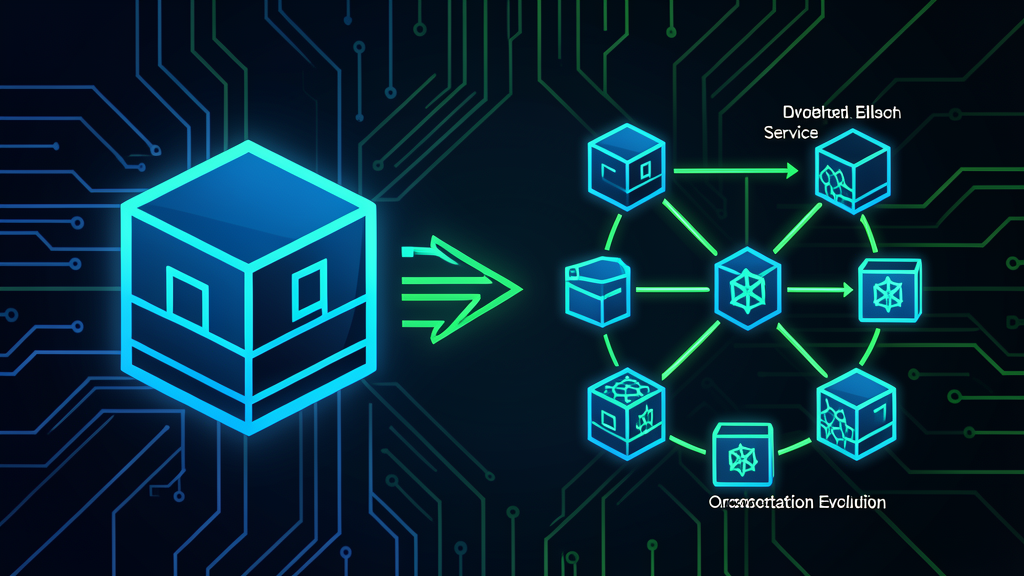
Last year, at 3:14 AM, my pager went off. A Redis connection pool had exhausted itself, Docker Compose restarted the container, and the API — which depended on Redis being warm — entered a crash loop. The health check in my docker-compose.yml was a simple curl localhost:8080/health. It returned 200 before Redis was ready. The container was “healthy” while serving 500s.
I fixed it that night with a startup script and a sleep 10 that made me feel dirty. The next morning, I started migrating to Kubernetes.
I’m not here to sell you on Kubernetes. I resisted it for years. I even wrote about why Docker Compose is the right tool for local development. And I still believe that — for local multi-service dev, Compose is unbeatable. But production is a different beast. The CNCF’s 2026 survey puts Kubernetes production usage at 82% of container users. I didn’t join that statistic because of hype. I joined it because Compose couldn’t keep my services alive at 3 AM.
This article isn’t a Kubernetes tutorial. I’m not going to explain what a Pod is. Instead, I’ll share the 6 Kubernetes patterns I actually use in production — the 20% that cover 80% of real-world needs. No Helm charts. No service mesh. Just YAML that keeps things running.
The 6 Patterns I Actually Use
1. Deployments with Resource Limits (Not Requests)
Everyone configures requests. Most skip limits. Here’s why that’s dangerous:
apiVersion: apps/v1
kind: Deployment
metadata:
  name: api-server
spec:
  replicas: 3
  selector:
    matchLabels:
      app: api-server
  template:
    metadata:
      labels:
        app: api-server
    spec:
      containers:
      - name: api
        image: registry.example.com/api:1.4.2
        resources:
          requests:
            memory: "256Mi"
            cpu: "250m"
          limits:
            memory: "512Mi"
            cpu: "500m"
        ports:
        - containerPort: 8080
Why both matter: requests tells the scheduler where to place the Pod. limits is what prevents one service from starving the node. Without memory limits, a Java app with a memory leak will take down the entire node — including your database Pod running alongside it. I learned this the hard way when a Spring Boot OOM killed not just itself, but the PostgreSQL container sharing the node.
The rule I follow: set limits at 2x your requests for CPU, and 1.5x for memory. Monitor actual usage for a week, then adjust. Don’t guess.
2. Services for Internal DNS — No More Hardcoded IPs
With Docker Compose, services resolve by container name. It works until you scale. Kubernetes Services give you stable DNS that survives Pod restarts, rescheduling, and scaling events:
apiVersion: v1
kind: Service
metadata:
  name: api-server
spec:
  selector:
    app: api-server
  ports:
  - port: 80
    targetPort: 8080
  type: ClusterIP
Now http://api-server resolves inside the cluster — always. No IP to track. No restart to worry about. Your other services just use the DNS name. This is the single biggest quality-of-life improvement over Compose for multi-service architectures.
3. ConfigMaps and Secrets — Configuration That Actually Works
In Compose, I had a .env file that was 200 lines long. Half the variables didn’t apply to half the services. It was a guessing game which variables each service actually used.
Kubernetes forces you to be explicit:
apiVersion: v1
kind: ConfigMap
metadata:
  name: api-config
data:
  SPRING_PROFILES_ACTIVE: "production"
  LOG_LEVEL: "INFO"
  DATABASE_HOST: "postgresql"
  DATABASE_PORT: "5432"
---
apiVersion: v1
kind: Secret
metadata:
  name: api-secrets
type: Opaque
stringData:
  DATABASE_PASSWORD: "change-me-in-ci"
  JWT_SECRET: "generate-this-with-openssl-rand-hex-32"
Mount them as environment variables:
containers:
- name: api
  envFrom:
  - configMapRef:
      name: api-config
  env:
  - name: DB_PASSWORD
    valueFrom:
      secretKeyRef:
        name: api-secrets
        key: DATABASE_PASSWORD
The real benefit: you can update a ConfigMap without rebuilding your image. Changed a log level? kubectl edit configmap api-config and rolling restart the Deployment. No CI pipeline needed for operational tweaks.
4. Liveness and Readiness Probes — The Health Checks That Actually Matter
My Compose healthcheck was naive. It just checked if the port was open. Kubernetes gives you two distinct probes that solve the crash loop problem that woke me up at 3 AM:
containers:
- name: api
  livenessProbe:
    httpGet:
      path: /actuator/health/liveness
      port: 8080
    initialDelaySeconds: 30
    periodSeconds: 10
    failureThreshold: 3
  readinessProbe:
    httpGet:
      path: /actuator/health/readiness
      port: 8080
    initialDelaySeconds: 15
    periodSeconds: 5
    failureThreshold: 3
The critical distinction:
- Liveness — “Should Kubernetes restart this container?” If the app is deadlocked, restart it.
- Readiness — “Should Kubernetes send traffic to this container?” If the database isn’t ready yet, don’t send requests.
The readiness probe is what prevents the crash loop. When the Pod starts, it’s not ready until the database connection pool is initialized. Kubernetes holds traffic until then. No sleep 10 hacks. No dirty workarounds.
5. Horizontal Pod Autoscaler — Scale on Actual Load, Not Guesses
With Compose, scaling meant editing replicas: 3 to replicas: 5 and running docker compose up -d. During a traffic spike, that’s too slow. HPA automates it:
apiVersion: autoscaling/v2
kind: HorizontalPodAutoscaler
metadata:
  name: api-server-hpa
spec:
  scaleTargetRef:
    apiVersion: apps/v1
    kind: Deployment
    name: api-server
  minReplicas: 2
  maxReplicas: 10
  metrics:
  - type: Resource
    resource:
      name: cpu
      target:
        type: Utilization
        averageUtilization: 70
  - type: Resource
    resource:
      name: memory
      target:
        type: Utilization
        averageUtilization: 80
  behavior:
    scaleUp:
      stabilizationWindowSeconds: 60
      policies:
      - type: Pods
        value: 2
        periodSeconds: 60
    scaleDown:
      stabilizationWindowSeconds: 300
      policies:
      - type: Pods
        value: 1
        periodSeconds: 120
The behavior section is what most tutorials skip. Without it, HPA will scale up and down rapidly (“thrashing”) as CPU hovers around the threshold. The stabilizationWindowSeconds ensures the system waits before making changes. Scale up fast (60s window), scale down slow (300s window) — because premature scale-downs cause more outages than delayed ones.
6. Ingress — One Entry Point, Many Services
Docker Compose exposed ports directly. 8080:8080, 8081:8081, 5432:5432. In production, you need TLS termination, path-based routing, and rate limiting. Ingress handles all of this:
apiVersion: networking.k8s.io/v1
kind: Ingress
metadata:
  name: main-ingress
  annotations:
    nginx.ingress.kubernetes.io/rate-limit: "100"
    nginx.ingress.kubernetes.io/ssl-redirect: "true"
spec:
  ingressClassName: nginx
  tls:
  - hosts:
    - api.example.com
    secretName: api-tls-secret
  rules:
  - host: api.example.com
    http:
      paths:
      - path: /api
        pathType: Prefix
        backend:
          service:
            name: api-server
            port:
              number: 80
      - path: /ws
        pathType: Prefix
        backend:
          service:
            name: websocket-server
            port:
              number: 80
One ingress controller (I use nginx-ingress, but Traefik is equally solid — I wrote about Traefik patterns in my Docker article). TLS termination happens at the edge. Internal traffic stays unencrypted within the cluster, which is fine for most threat models.
Docker Compose vs Kubernetes: When Each Wins
I still use Docker Compose daily. Here’s my honest split:
| Scenario | Winner | Why |
|---|---|---|
| Local development | Docker Compose | Simple, fast, no cluster overhead |
| Single service, low traffic | Docker Compose | K8s is overkill for one container |
| Multi-service in production | Kubernetes | Self-healing, scaling, service discovery |
| Zero-downtime deployments | Kubernetes | Rolling updates out of the box |
| CI/CD pipelines | Kubernetes | Reproducible, declarative, GitOps-ready |
| Learning and prototyping | Docker Compose | No cluster to manage, instant feedback |
The pattern I follow: Docker Compose for local and CI test environments, Kubernetes for staging and production. Same Docker images, different orchestration layer. This is the setup that finally gave me both developer velocity and production reliability.
What People Get Wrong About Kubernetes
| Concern | Reality |
|---|---|
| ”Kubernetes is too complex” | You don’t need Helm, Istio, or a service mesh to start. Six manifest types cover 80% of production needs. Start there. |
| ”Managed K8s is expensive” | A small EKS/GKE cluster costs ~$73/month for the control plane. Compare that to a 3 AM page and the hours of firefighting. The math works. |
| ”We’re too small for K8s” | I said the same thing. Then the 3 AM page happened. Start with a managed cluster and 2 node groups. You can run a 5-service stack on 2 nodes. |
| ”Learning curve is steep” | It is — but only if you try to learn everything at once. Learn Deployments first. Then Services. Then ConfigMaps. Each builds on the last. |
| ”Docker Compose works fine” | Until it doesn’t. Compose has no self-healing, no rolling updates, no horizontal scaling. For production, those aren’t nice-to-haves. |
What I’d Do Differently
If I could redo my Kubernetes migration:
-
Start with a managed cluster (EKS, GKE, or DigitalOcean Kubernetes). Don’t self-host your first cluster. The operational overhead will drown you before you learn the patterns.
-
Use
kubectldirectly before reaching for Helm. Understanding what Helm generates is more valuable than knowing Helm syntax. I spent three weeks writing raw YAML before I wrote my firsthelm install. That was the right call. -
Set up resource quotas on day one. Without quotas, a runaway Pod can consume an entire node. I had a test Pod that allocated 4Gi of memory because I forgot to set limits. The node went down. PostgreSQL went with it.
-
Monitor before you scale. You can’t set HPA thresholds if you don’t know your baseline CPU and memory usage. Deploy with
requestsandlimitsset conservatively, run for a week, then right-size.
The Bottom Line
Kubernetes didn’t make my life easier. It made my production deployments more predictable. Those are different things.
The learning curve is real. The YAML is verbose. The error messages are cryptic. But at 3 AM, when a Pod crashes and Kubernetes restarts it automatically, routes traffic to the healthy replicas, and scales up because load increased — you’ll sleep through the night. And that’s worth the YAML.
If you’re running Docker Compose in production and haven’t had your 3 AM page yet, consider yourself lucky. I wasn’t. And honestly? I don’t want to go back.
🚀 Want to Learn Kubernetes Properly?
I recommend starting with Kubernetes Up & Running by Kelsey Hightower — the person who made K8s accessible to the rest of us. It's the book I wish I had before my 3 AM incident.
Disclosure: This link may earn a commission at no extra cost to you.
What’s your Kubernetes tipping point? Did you migrate because of a specific incident, or gradual scaling needs? Drop your story in the comments — I read every one.
Enjoying the content? Here are tools I personally use and recommend:
- 🌐 Hosting: Bluehost — what this blog runs on
- 🛒 Tech Gear: My Amazon Store — keyboards, monitors, dev tools I use
Purchases through my links help keep this blog ad-free 💙
Enjoyed this post?
Subscribe to the newsletter or follow on YouTube for more dev content.
🎬 Watch Shorts