Why I Stopped Using LangChain4j for Spring Boot APIs — And Started Using Spring AI
I’ll admit something uncomfortable: I was a LangChain4j advocate six months ago. It made sense at the time. Python had LangChain, Java had LangChain4j, and I wanted to build a RAG-powered search feature for our internal documentation system. I spent three weeks wiring together embedding models, vector stores, and chat memory — all in plain Java, no Spring magic.
Then I tried Spring AI. And I tore the whole thing out.
Not because LangChain4j is bad. It isn’t. But because I was writing framework glue code instead of business logic — and in a Spring Boot application, that’s the cardinal sin.
The LangChain4j Experience: Manual Wiring Everywhere
Here’s what my LangChain4j setup looked like for a basic RAG chatbot:
// 1. Chat model — explicit builder
OpenAiChatModel chatModel = OpenAiChatModel.builder()
    .apiKey(System.getenv("OPENAI_API_KEY"))
    .modelName("gpt-4o")
    .build();

// 2. Embedding model — separate instance
OpenAiEmbeddingModel embeddingModel = OpenAiEmbeddingModel.builder()
    .apiKey(System.getenv("OPENAI_API_KEY"))
    .modelName("text-embedding-3-small")
    .build();

// 3. Vector store — manual JDBC setup
DataSource dataSource = ...; // your own DataSource
PgVectorEmbeddingStore vectorStore = PgVectorEmbeddingStore.builder()
    .dataSource(dataSource)
    .dimension(1536)
    .indexType("hnsw")
    .build();

// 4. Chat memory — manual lifecycle
ChatMemoryProvider memoryProvider =
    userId -> MessageWindowChatMemory.builder()
        .id(userId)
        .maxMessages(10)
        .build();

// 5. AI Service — the actual thing you use
Assistant service = AiServices.builder(ChatAssistant.class)
    .chatModel(chatModel)
    .embeddingModel(embeddingModel)
    .chatMemoryProvider(memoryProvider)
    .contentRetriever(EmbeddingStoreContentRetriever.builder()
        .embeddingStore(vectorStore)
        .embeddingModel(embeddingModel)
        .maxResults(5)
        .build())
    .build();
Five separate builder chains. Five things to maintain. And this is the happy path — once you need streaming, tool calling, and structured output, the builder nesting gets worse.
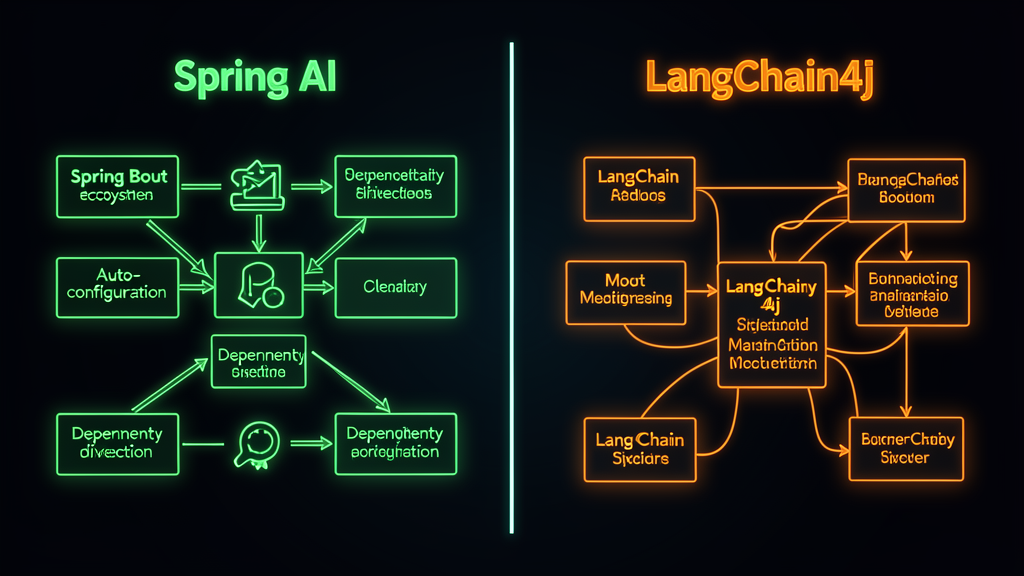
The problem isn’t that LangChain4j is wrong. The problem is that every single one of these things has an equivalent in my Spring Boot application already. DataSource? Already configured. Properties? Already in application.yml. Lifecycle? Already managed by the container. I was rebuilding Spring’s job by hand.
The Spring AI Experience: It Just Works
Here’s the same thing in Spring AI. This is the entire service:
@Service
public class RagService {

    private final ChatClient chatClient;
    private final VectorStore vectorStore;

    public RagService(ChatClient.Builder builder, VectorStore vectorStore) {
        this.chatClient = builder.build();
        this.vectorStore = vectorStore;
    }

    public String chat(String question) {
        List<Document> context = vectorStore.similaritySearch(
            SearchRequest.builder().query(question).topK(5).build()
        );

        String contextText = context.stream()
            .map(Document::getText)
            .collect(Collectors.joining("\n\n"));

        return chatClient.prompt()
            .system("Answer based on this context:\n" + contextText)
            .user(question)
            .call()
            .content();
    }
}
And the configuration lives in application.properties:
# OpenAI chat model
spring.ai.openai.api-key=${OPENAI_API_KEY}
spring.ai.openai.chat.options.model=gpt-4o

# OpenAI embeddings
spring.ai.openai.embedding.options.model=text-embedding-3-small

# pgvector store — Spring AI auto-detects the PostgreSQL datasource
spring.ai.vectorstore.pgvector.initialize-schema=true
spring.ai.vectorstore.pgvector.index-type=HNSW
spring.ai.vectorstore.pgvector.distance-type=COSINE_DISTANCE
spring.ai.vectorstore.pgvector.dimensions=1536
That’s it. No builders. No manual wiring. ChatClient and VectorStore are autowired because Spring AI registers them as beans when it detects the right starters and properties. The PostgreSQL datasource is the same one my repositories use. The API key is the same one I set for any other Spring service.
If you already have a Spring Boot application, the marginal cost of adding AI with Spring AI is three properties and a service class. With LangChain4j, it’s a parallel infrastructure.
Function Calling: Annotations vs Interfaces
The difference gets even sharper with tool calling. Here’s a weather tool in LangChain4j:
public class WeatherTool {
    @Tool("Get current weather for a city")
    public String getWeather(@P("city") String city) {
        return weatherService.lookup(city);
    }
}

// Then register it:
AiServices.builder(ChatAssistant.class)
    .chatModel(model)
    .tools(new WeatherTool())
    .build();
And the same thing in Spring AI:
@Service
public class WeatherTool {
    @Tool(description = "Get current weather for a city")
    public String getWeather(String city) {
        return weatherService.lookup(city);
    }
}

// That's it. Spring AI scans @Tool beans automatically.
// No registration needed — it's just another Spring component.
The Spring AI version isn’t less code because it’s simpler — it’s less code because you’re not describing what Spring already knows. The WeatherTool is a @Service. Spring already manages its lifecycle. Spring AI just adds the @Tool annotation and picks it up.
pgvector Integration: Same Database, Zero New Infrastructure
This is where Spring AI really shines for teams that already use PostgreSQL — which, if you’ve read my pgvector article, you know I think most should.
With LangChain4j, you configure pgvector through its own builder with its own connection pool. You now have two connection pools talking to the same database.
With Spring AI, PgVectorStore uses your existing DataSource. Same connection pool, same HikariCP settings, same monitoring, same health checks:
# Your existing PostgreSQL config — reused by Spring AI
spring.datasource.url=jdbc:postgresql://localhost:5432/myapp
spring.datasource.username=myapp
spring.datasource.password=${DB_PASSWORD}

# Spring AI just layers on top — no new connections
spring.ai.vectorstore.pgvector.initialize-schema=true
spring.ai.vectorstore.pgvector.index-type=HNSW
The vector_store table lives right next to your users, orders, and products tables. Same backups, same migrations, same EXPLAIN ANALYZE visibility. If you’re already running PostgreSQL in production, adding vector search via Spring AI has zero infrastructure cost.
When LangChain4j Is Still the Right Choice
I’m not going to pretend Spring AI is universally better. LangChain4j wins in specific scenarios:
| Concern | Reality |
|---|---|
| ”We don’t use Spring Boot” | Then Spring AI is useless to you. LangChain4j is the correct choice for plain Java, Quarkus, or Micronaut projects. |
| ”We need advanced agent chains” | LangChain4j’s declarative agent platform is more mature. Spring AI’s agent support is still catching up. |
| ”We want minimal overhead” | LangChain4j is ~15% faster in basic chat benchmarks and uses less memory. If you’re not already running Spring Boot, that matters. |
| ”We have custom tool pipelines” | LangChain4j’s explicit composition model gives you more control. Spring AI’s auto-configuration is convenient but less granular. |
Spring AI’s sweet spot is Spring Boot applications that want to add AI capabilities with minimal ceremony. If that’s you, LangChain4j is fighting the framework instead of working with it.
Common Mistakes I Made (So You Don’t Have To)
Mistake 1: Using initialize-schema=true in production. Don’t. Run the schema migration manually with Flyway or Liquibase. The auto-init creates the table without indexes, which means your first similarity search will do a full table scan. Create the HNSW index yourself:
CREATE EXTENSION IF NOT EXISTS vector;
CREATE EXTENSION IF NOT EXISTS hstore;
CREATE EXTENSION IF NOT EXISTS "uuid-ossp";

CREATE TABLE IF NOT EXISTS vector_store (
    id uuid DEFAULT uuid_generate_v4() PRIMARY KEY,
    content text,
    metadata json,
    embedding vector(1536)
);

CREATE INDEX ON vector_store
USING hnsw (embedding vector_cosine_ops)
WITH (m = 16, ef_construction = 64);
Mistake 2: Not setting the right dimensions. If you switch from text-embedding-3-small (1536 dims) to a smaller model, you must recreate the table. The dimension is baked into the column type. I lost an afternoon to a vector dimension mismatch error before I understood this.
Mistake 3: Using the default COSINE_DISTANCE without tuning probes. For IVFFLAT indexes, the default probes=1 gives terrible recall. Set it to at least 10-20 for decent accuracy. HNSW doesn’t have this problem, which is why I use it in production.
The Bottom Line
Spring AI isn’t the best AI framework for Java in every dimension. LangChain4j has more features, more examples, and a larger community. But if your application already runs on Spring Boot — and let’s be honest, most enterprise Java does — then Spring AI is the path of least resistance.
Here’s my rule of thumb:
- Greenfield AI project, no Spring? → LangChain4j. Full control, no overhead.
- Adding AI to an existing Spring Boot app? → Spring AI. Three properties, one service class, done.
I made the mistake of treating Spring AI and LangChain4j as competing choices. They’re not. They’re tools for different contexts. The problem was that I was using the wrong one for mine.
🚀 Ready to Add AI to Your Spring Boot App?
Start with the official Spring AI documentation — it covers OpenAI, Ollama, and pgvector integration with real code examples.
My recommended stack: Spring Boot 3.4+ → Spring AI → pgvector on PostgreSQL → Ollama for local development.
Enjoying the content? Here are tools I personally use and recommend:
- 🌐 Hosting: Bluehost — what this blog runs on
- 🛒 Tech Gear: My Amazon Store — keyboards, monitors, dev tools I use
Purchases through my links help keep this blog ad-free 💙
Enjoyed this post?
Subscribe to the newsletter or follow on YouTube for more dev content.
🎬 Watch Shorts