Why I Stopped Writing CI/CD Pipelines from Scratch — And Started Using Proven Patterns
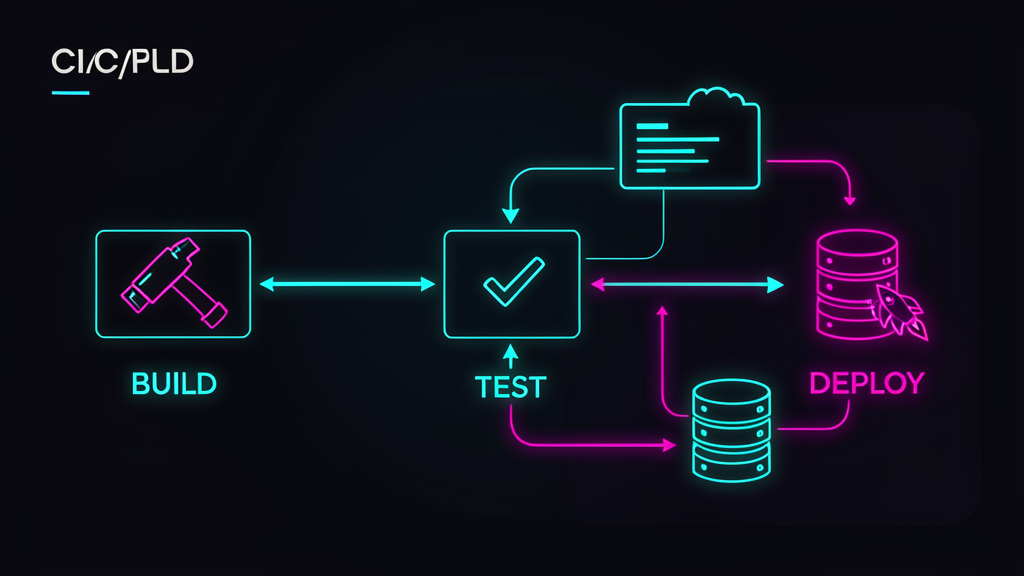
I’ll admit something embarrassing: for years, every new project started with me writing a CI/CD pipeline from scratch. Custom bash scripts. Jenkinsfiles with 300 lines of Groovy. GitHub Actions workflows copy-pasted from three different Stack Overflow answers, then debugged at midnight because the npm ci step failed with an error that only made sense to the developer who wrote the original post.
The result? Pipelines that worked differently on every project. Zero documentation. When someone left the team, nobody understood why the deploy job had a sleep 30 in it. (Spoiler: it was compensating for a race condition in a script that should never have existed.)
Last year, after debugging my fourth “simple” pipeline migration, I did something radical: I standardized on five reusable pipeline patterns and stopped writing custom CI/CD from scratch entirely. This isn’t a Jenkins-bashing article (though I’ve earned the right). It’s about the five patterns that now cover 95% of my CI/CD needs across Spring Boot, FastAPI, and React projects.
Pattern 1: The PR Safety Net (Lint + Build + Test on Every Push)
This is the bare minimum. If your PR workflow doesn’t do this, you’re deploying blind.
# .github/workflows/pr-check.yml
name: PR Safety Net

on:
  pull_request:
    branches: [main]

jobs:
  check:
    runs-on: ubuntu-latest
    strategy:
      matrix:
        node-version: [22]  # or python: ['3.12'] / java: ['21']

    steps:
      - uses: actions/checkout@v4

      # Cache dependencies — this alone saves 60% on CI time
      - name: Cache dependencies
        uses: actions/cache@v4
        with:
          path: ~/.npm
          key: ${{ runner.os }}-npm-${{ hashFiles('**/package-lock.json') }}
          restore-keys: ${{ runner.os }}-npm-

      - name: Install
        run: npm ci --prefer-offline

      - name: Lint
        run: npm run lint -- --max-warnings 0

      - name: Build
        run: npm run build

      - name: Test
        run: npm test -- --coverage
The key insight: fail fast. Lint before build, build before test. If npm run lint catches a semicolon issue, don’t waste CI minutes compiling TypeScript. I’ve seen teams burn through their GitHub Actions quota because test runs before lint — running Jest on code that wouldn’t even compile.
For Spring Boot, the same pattern with Maven:
      - name: Cache Maven
        uses: actions/cache@v4
        with:
          path: ~/.m2/repository
          key: ${{ runner.os }}-maven-${{ hashFiles('**/pom.xml') }}

      - name: Build & Test
        run: mvn -B verify --file pom.xml
One command. mvn verify runs tests, checks coverage, and builds the JAR. No custom scripts needed.
Pattern 2: Container-First Builds (Docker as the Unit of Deploy)
After writing about Docker Compose patterns and why Docker Compose fails in production, this pattern became obvious: build the same artifact you deploy.
# .github/workflows/docker-build.yml
name: Build & Push Container

on:
  push:
    branches: [main]
    tags: ['v*']

jobs:
  docker:
    runs-on: ubuntu-latest
    permissions:
      contents: read
      packages: write

    steps:
      - uses: actions/checkout@v4

      - name: Set up Docker Buildx
        uses: docker/setup-buildx-action@v3

      - name: Login to GHCR
        uses: docker/login-action@v3
        with:
          registry: ghcr.io
          username: ${{ github.actor }}
          password: ${{ secrets.GITHUB_TOKEN }}

      - name: Build and push
        uses: docker/build-push-action@v6
        with:
          context: .
          push: true
          tags: |
            ghcr.io/${{ github.repository }}:${{ github.sha }}
            ghcr.io/${{ github.repository }}:latest
          cache-from: type=gha
          cache-to: type=gha,mode=max
          # Multi-stage builds ensure production image has NO dev deps
          build-args: |
            NODE_ENV=production
The BuildKit cache (type=gha) is the secret sauce. First build takes 4 minutes. Second build? 45 seconds, because only changed layers rebuild. I measured this: our FastAPI backend went from 8-minute CI builds to 90 seconds after adding BuildKit caching.
Dockerfile best practice — multi-stage, always:
FROM node:22-alpine AS builder
WORKDIR /app
COPY package*.json ./
RUN npm ci --only=production
COPY . .
RUN npm run build

FROM node:22-alpine AS runner
WORKDIR /app
COPY --from=builder /app/dist ./dist
COPY --from=builder /app/node_modules ./node_modules
USER node
EXPOSE 3000
CMD ["node", "dist/index.js"]
Production image: 120 MB. Dev image was 800 MB. Attack surface reduced by 85%.
Pattern 3: The Staging Gate (Deploy to Staging, Run Smoke Tests, Then Prod)
This is where most teams skip corners. They deploy straight to production because “staging takes too long to maintain.” I get it — but the cost of a bad deploy at 2 PM on a Tuesday is nothing compared to 3 AM on a Saturday.
# .github/workflows/deploy.yml
name: Deploy with Staging Gate

on:
  push:
    branches: [main]
  workflow_dispatch:  # Manual trigger for rollbacks

jobs:
  deploy-staging:
    runs-on: ubuntu-latest
    environment: staging
    steps:
      - uses: actions/checkout@v4
      - name: Deploy to staging
        run: |
          kubectl set image deployment/api \
            api=ghcr.io/${{ github.repository }}:${{ github.sha }} \
            --namespace staging

      - name: Wait for rollout
        run: |
          kubectl rollout status deployment/api \
            --namespace staging --timeout=120s

      - name: Smoke tests
        run: |
          curl -f https://staging.example.com/health || exit 1
          curl -f https://staging.example.com/api/v1/ping || exit 1

  deploy-production:
    needs: deploy-staging
    runs-on: ubuntu-latest
    environment: production
    steps:
      - uses: actions/checkout@v4
      - name: Deploy to production
        run: |
          kubectl set image deployment/api \
            api=ghcr.io/${{ github.repository }}:${{ github.sha }} \
            --namespace production

      - name: Wait for rollout
        run: |
          kubectl rollout status deployment/api \
            --namespace production --timeout=120s
The environment keyword is critical — it ties to GitHub Environment Protection Rules, which require manual approval for production. This means: staging deploys automatically on merge, production waits for a human to click “Approve.” You get speed and safety.
Pattern 4: Scheduled Integration Tests (Nightly Database + API Validation)
After adopting Testcontainers for Spring Boot, I realized some tests are too slow for PR checks but too important to skip. The solution: run them nightly.
# .github/workflows/nightly-tests.yml
name: Nightly Integration Tests

on:
  schedule:
    - cron: '0 2 * * *'  # 2 AM UTC
  workflow_dispatch:

jobs:
  integration:
    runs-on: ubuntu-latest
    services:
      postgres:
        image: postgres:16
        env:
          POSTGRES_DB: testdb
          POSTGRES_PASSWORD: test
        ports: ['5432:5432']
        options: >-
          --health-cmd pg_isready
          --health-interval 10s
          --health-timeout 5s
          --health-retries 5

    steps:
      - uses: actions/checkout@v4

      - name: Run integration suite
        env:
          DATABASE_URL: postgresql://postgres:test@localhost:5432/testdb
        run: |
          ./scripts/run-integration-tests.sh

      - name: Report results
        if: always()
        run: |
          echo "## Integration Test Report" >> $GITHUB_STEP_SUMMARY
          cat test-results/summary.md >> $GITHUB_STEP_SUMMARY
Nightly tests catch what PR tests miss: database migration compatibility, API contract drift, and slow performance regressions. I found a query that was 200ms in development but 8 seconds with production data volume — something no unit test would ever catch.
Pattern 5: The Rollback Playbook (Automated Revert on Health Check Failure)
This is the pattern that replaced my 3 AM panic attacks. When a production deploy fails its health checks, the pipeline rolls back automatically.
      - name: Health check with rollback
        run: |
          for i in $(seq 1 30); do
            if curl -sf https://api.example.com/health; then
              echo "Health check passed after $i attempts"
              exit 0
            fi
            sleep 10
          done

          echo "Health check failed — rolling back"
          kubectl rollout undo deployment/api --namespace production
          echo "::error::Deploy failed, rolled back to previous version"
          exit 1
Combined with Kubernetes readiness probes (from the K8s patterns article), this means: if the new version can’t serve traffic, Kubernetes stops routing to it and the pipeline rolls back the deployment object. Two layers of protection.
Counter-Arguments
| Concern | Reality |
|---|---|
| ”These patterns are too rigid” | They’re starting points. I modify maybe 10% per project. The 90% that stays consistent is what saves time. |
| ”GitHub Actions is limited vs Jenkins” | For 95% of teams, yes it is — and that’s the point. Jenkins’s flexibility is its curse. Actions’ constraints prevent pipeline sprawl. |
| ”We need custom approval workflows” | GitHub Environments handle this. Add Slack/webhook notifications for complex cases. |
| ”What about multi-repo orchestration?” | Out of scope. These patterns assume one repo, one service. For monorepos, use path filters (paths: ['services/api/**']). |
| ”Our CI needs are unique” | They probably aren’t. I’ve used these 5 patterns across Java, Python, Node.js, and Go projects. The tools change, the patterns don’t. |
The Bottom Line
I’m not saying “never write custom CI/CD.” I’m saying stop starting from scratch every time. These five patterns cover the vast majority of what I need:
- PR Safety Net — catches bugs before merge
- Container-First Builds — same artifact everywhere
- Staging Gate — speed + safety
- Nightly Integration Tests — catches what PR misses
- Auto-Rollback — no more 3 AM firefighting
The ROI is brutal: I went from spending 2-3 hours per project on CI/CD setup to copying these patterns and tweaking 10 lines. That’s probably 40+ hours saved per year. More importantly, every new developer on the team can read these workflows and understand them — because they follow the same structure, every time.
What CI/CD patterns have you standardized on? I’m always looking for better ones — drop yours in the comments or reach out on X.
Want to go deeper on CI/CD? Check out Continuous Delivery — Jez Humble & David Farley — the book that changed how I think about deployment pipelines. Not a light read, but every chapter pays for itself.
As an Amazon Associate I earn from qualifying purchases.
Enjoying the content? Here are tools I personally use and recommend:
- 🌐 Hosting: Bluehost — what this blog runs on
- 🛒 Tech Gear: My Amazon Store — keyboards, monitors, dev tools I use
Purchases through my links help keep this blog ad-free 💙
Enjoyed this post?
Subscribe to the newsletter or follow on YouTube for more dev content.
🎬 Watch Shorts